
Finding things
Selectors: name, slug, or id
Wherever a command takes an application, it takes a selector, and all three forms are interchangeable.
- The friendly name, as you passed it to
teflon deploy:"My Cool App". - The service slug:
my-cool-app. - The application uuid.
Names are slugged before lookup, so "My Cool App" and my-cool-app resolve to the same application.
That means you never have to look up an id just to run a command.
Listing your apps
$
NAME STATUS URL
my-app active https://my-app.tf.int.tubi.io/
That is the concise view: name, status, and URL.
teflon app list --view detailed adds every column, including the id, owner, volume, and timestamps.
The listing covers the apps you own plus any you administer for someone else; the owner column in the detailed view says which is which.
One app in detail
teflon app get defaults to the detailed view, since you asked about one app on purpose.
$
ID d2d3b4a4-7c0d-46e9-a2b1-d76d750c0853
NAME my-app
DOMAIN my-app.tf.int.tubi.io
URL https://my-app.tf.int.tubi.io/
STATUS active
OWNER you@tubi.tv
CREATED AT 2026-08-07T02:18:32.872321Z
UPDATED AT 2026-08-07T02:31:53.833026Z
A failing app also carries a STATUS REASON row, and an app with a volume carries a VOLUME row like 5.00 GiB at /data.
Rows with nothing in them are dropped rather than printed blank, so what you see is what is set.
Deploy history
Every build for the app, newest first, with its status and builder.
See Deploying for the output and for teflon deploy status <build-id>.
Logs
This is a one-shot dump, not a stream.
It prints the most recent lines from each of the app's pods, 200 per pod by default, with --tail to change that.
$
my-app-5685c577b-frqjq Running (0 restarts)
127.0.0.1 - - [07/Aug/2026 02:38:28] "GET / HTTP/1.1" 200 -
127.0.0.1 - - [07/Aug/2026 02:38:28] "GET / HTTP/1.1" 200 -
127.0.0.1 - - [07/Aug/2026 02:38:28] code 404, message File not found
127.0.0.1 - - [07/Aug/2026 02:38:28] "GET /healthz HTTP/1.1" 404 -
When a pod is crashlooping its current container usually has no logs yet, so what you get is the previous, crashed container's output.
The header says so, with a [previous container] marker, so a traceback is never mistaken for the container running right now.
In the console
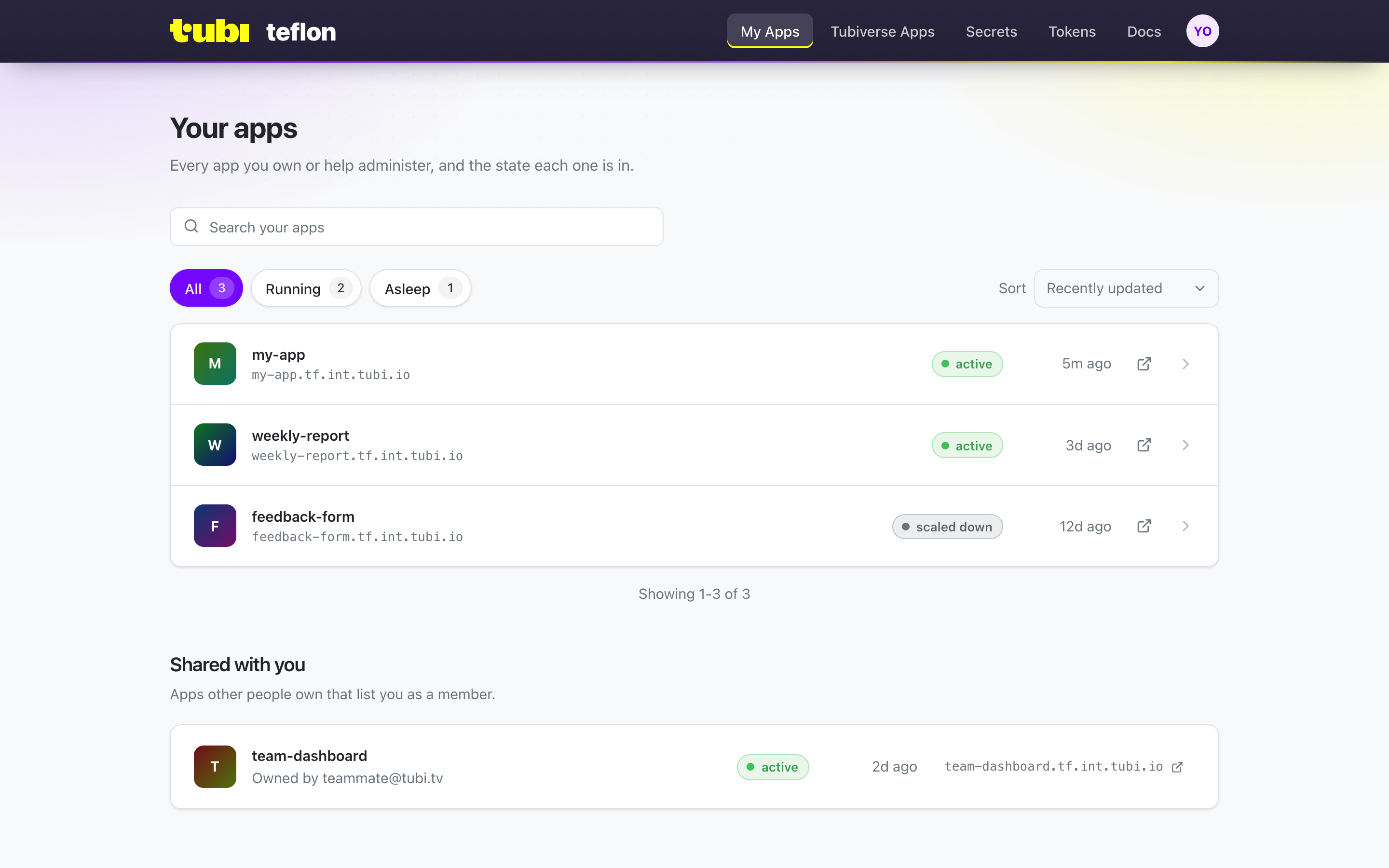
The My Apps list is the same listing, one row per app; an app you administer rather than own carries an admin badge, and a quarantined app a red shield.
The search box narrows the list as you type, by name, service, or owner. The chips above the list filter by state - Running, Starting, Asleep, or Needs attention - and each shows how many apps are in it. The menu at the right sorts by most recently updated, name, or newest first. The list shows 12 apps at a time, with page numbers underneath.
Below it, Shared with you lists the private apps whose allow list names you as a member, with each one's owner. You can visit them from their domain, but they are not yours to manage, so they do not link to a detail page.
Click through to an app and the detail page gathers everything about it. A header shows its status, domain, owner, and when it last changed, with tabs under it. Overview holds Builds, Logs, and Configuration (environment variables and secret bindings), each a panel you can fold. Access holds the privacy switch, the allow list, and Admins. Marketplace, Integrations, and Manage hold the Tubiverse card, webhooks and identity federation, and transfer and delete.
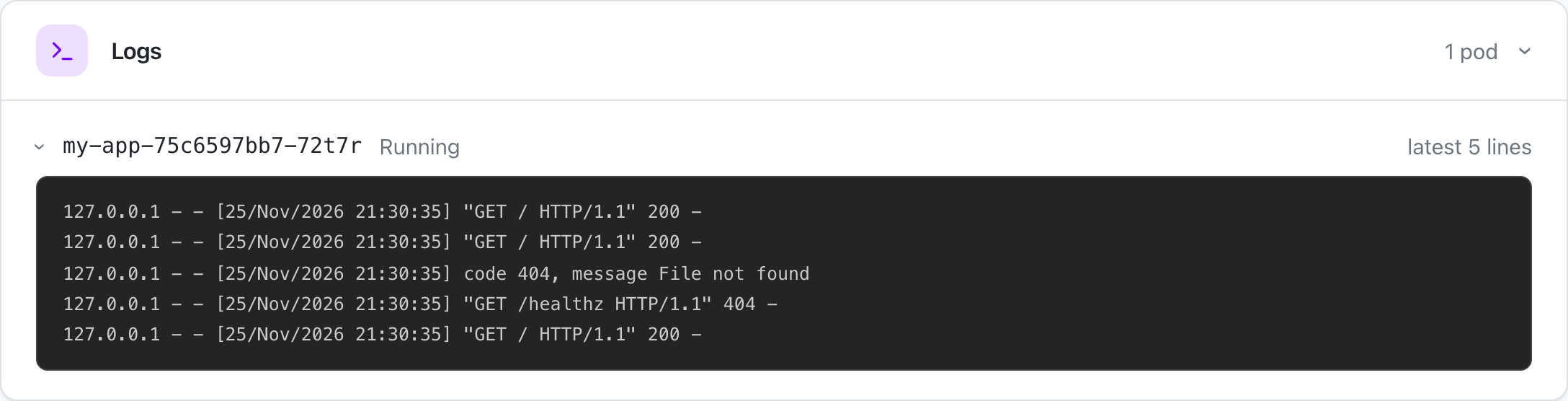
The Logs panel there shows the same per-pod dump teflon logs prints, so a quick look at why something is unhealthy does not need a terminal at all.
The first pod is open and the others are folded; each terminal opens on its newest line, and you scroll up for older ones.
Everyone else's apps: Tubiverse Apps
The Tubiverse Apps page in the console (/tubiverse; the old /marketplace address redirects to it) browses every public app in the fleet, not just your own: every app any user has deployed without an enforced allow list, displayed as a grid of cards with name, URL, owner, and status.
The page opens with the most liked apps of the last 30 days first. The search box matches name, service slug, or owner email as you type; you can sort by likes, visitors, creation date, or name instead; and you can filter by status. Long fleets paginate, and search/sort/filter land in the URL so a filtered view can be shared as a link.
Hover a card to play a short preview of the app, when it has one. Search matches what an app does as well as its name, service, and owner, so "ad revenue" finds the apps that report on it. Some cards carry a one-line blurb and topic tags under the app's name. The app's owner can write the blurb (see Describe your app); any that was written for the app before can be wrong, and the owner's text replaces it. To change or remove one you do not own, ask in #teflon-support.
An app whose allow list is enforced never appears here, not even to its owner or members; the private apps you can reach are on the My Apps page instead.